
Help Center / Placing orders
Mass order
Written by the SMMFollows support team. Updated 2026-11-01.
Mass order takes a list of orders, one per line, and creates them all at once. It's the fastest way to order for a batch of posts or a list of client accounts. It's a tab next to New order, and also Mass order in the left menu.
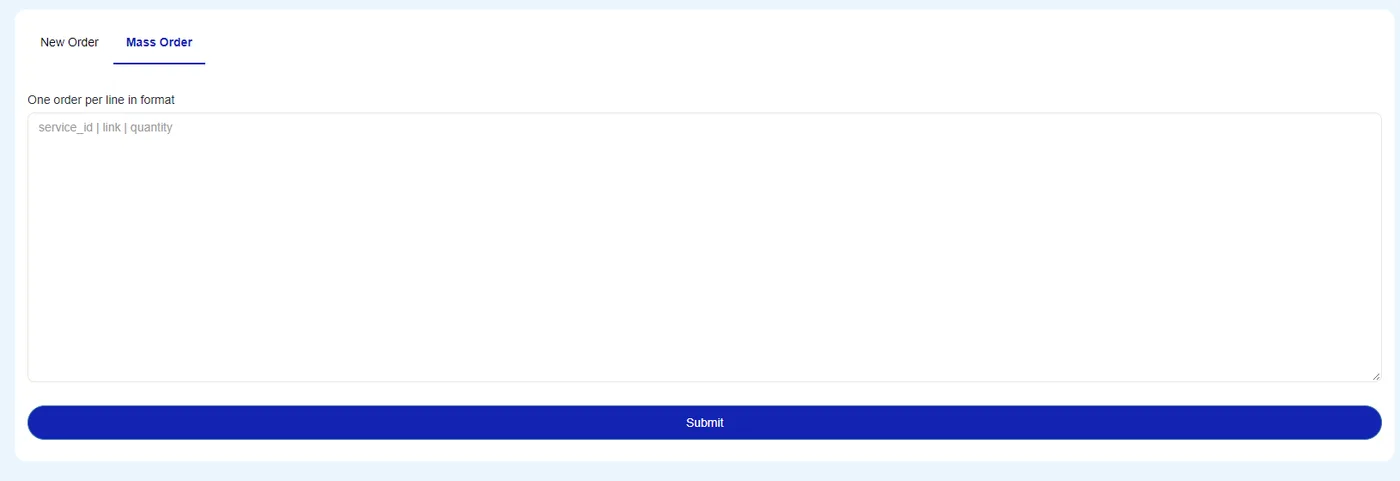
Format
Each line is a service ID, a link and a quantity, separated by the | character. Spaces around the bars are fine.
service_id | link | quantityFor example, three likes orders on three posts, 500 each, with service 112:
112|https://www.instagram.com/p/C0deEXAMPLE1/|500
112|https://www.instagram.com/p/C0deEXAMPLE2/|500
112|https://www.instagram.com/p/C0deEXAMPLE3/|500
You can mix services in one list. Lines are processed in order and each becomes its own order with its own ID.
Where the service ID is
On the Services page, the ID is the number in the first column of each service, under the star. It's also shown at the start of the service name on the New order form ("ID - 19586 …") and in the service list from the API. More on that page in reading the Services page.
Checking the result
After you submit, the page tells you how many lines were accepted. Lines that failed (wrong quantity, wrong ID, bad link) are reported with the reason; fix those lines and submit only them again, otherwise you'll duplicate the ones that went through.
Common mistakes
- Using a comma or a space instead of
|. - A quantity below the service minimum on some lines. Each line is checked on its own.
- Pasting from a spreadsheet with an empty trailing line or a header row.
- Submitting the whole list twice after a partial failure.
Mass order works with Default-type services (link and quantity). Services that need extra input, such as custom comments, are placed from the normal form or through the API.
Didn't find what you needed? Open a ticket from your account and include the order ID if there is one. We reply around the clock.